· 3 min read
Between my keyboard is my mouse
If you don't have a "between your keyboard", I'm sorry for you.
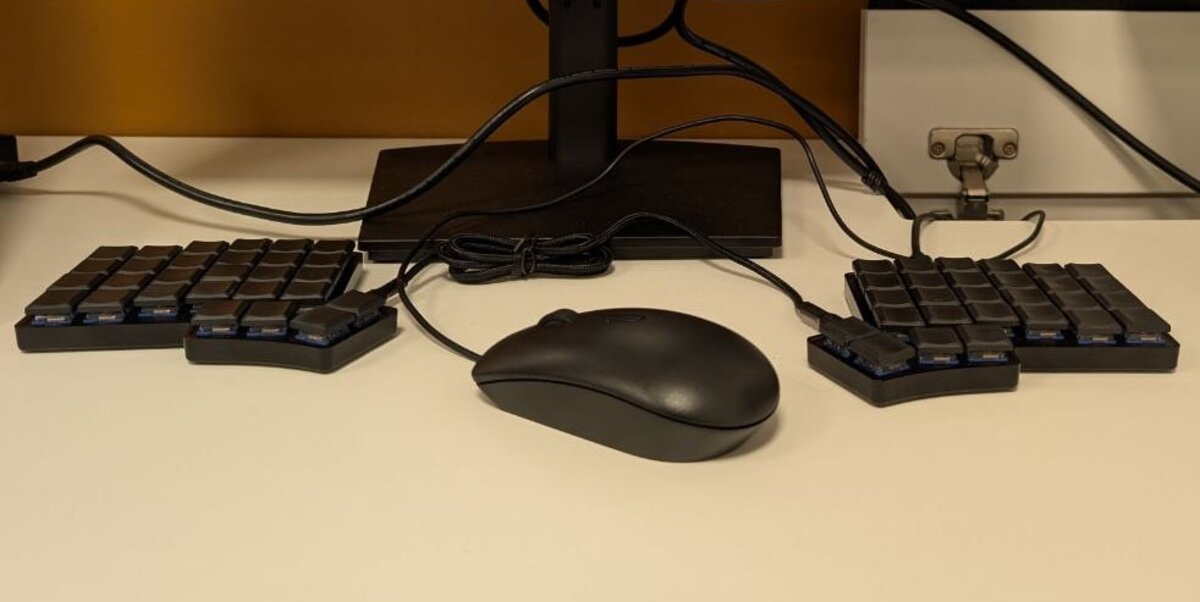
Life update, I got myself a split keyboard, around July this year. More precisely, for your reference and mine, it’s the Iris LM-K Rev. 1. Link here (if it’s not dead by the time you’re reading this)
The best part isn’t either half. It’s the gap between them. My mouse sits there now, where the middle of the keyboard used to be, so my hand barely travels to reach it.
Even more precisely?
Idk who wants to know this but
- Key Switch: Deep Sea Mini Islet (43g Silent Linear)
- Case: Translucent Black - Polycarbonate
- Keycaps: THT Blank Keyset
- Link cable: 30cm
Thoughts on the setup
Key Switches and Keycaps: The silent linears and the rubbery keycaps make this thing silent, there is literally nothing to hear. The surprising part is that I don’t look at my keys when I type, and yet the legends still matter to me. It comes up during casual stuff, eating at my desk and reaching for a shortcut, where without legends I have to count keys from the edge. The upside is cleaning: I don’t care where the keycaps go, so I pluck them all out and put them all back.
Link cable: I would get a longer cable (1m, or maybe 10m). 30cm is borderline acceptable.
Learning the layout
Just like learning a new keyboard layout, it wasn’t a wonderful experience.
The payoff
Funny story, I was just mindlessly typing on my split keyboard and somehow ended up 3rd (in terms of points) on typeracer. Points come from typing a lot, not from typing fast, so it says something about how much I can type before getting tired. Also, if you intend to stalk that account, that’s my Colemak account, which I don’t type in Colemak anymore.
How many keys do you need?
The Iris is one of the bigger splits, other than some ZSA keyboards, in the sense that it has the most keys. Most other splits have fewer. On my iris, I manage to squeeze all the keys on the base layer (except square and round bracket).
Smaller boards stay usable by putting keys on multiple layers. That means less finger travel, but I’m not sold on it yet.
Say no to rectangles?
So am I done with normal staggered keyboards forever? Of course not.
Friendship with QWERTY and staggered boards hasn’t ended yet. I still need to look competent using a normal computer, or I might risk looking like CS Uni Professors that look like they never touch computers before (sorry not sorry).
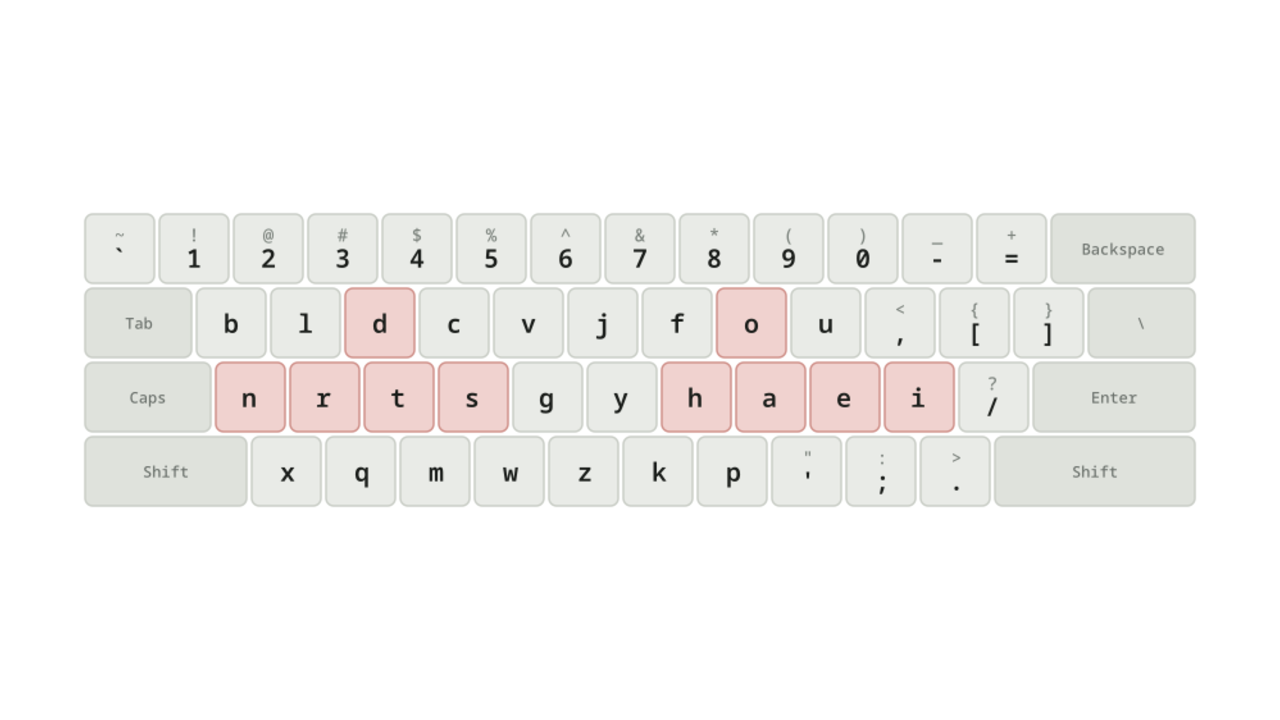
On a staggered board I still type QWERTY, and eventually I want Gallium there too. On the split, it’s Gallium only.