· 5 min read
Friendships over the years
Not the friendships you expect
Note
This is a post about keyboard layouts lol. It runs alongside the story of leaving QWERTY.
It has been around 5 years since I tried my first non-QWERTY layout, and I’ve been through more of them than I expected to.
A rough timeline
- 2021 - 2022: Dvorak and Variants
- 2023 - 2025: Colemak and Variants
- 2026 - present: Gallium V2
For whatever it’s worth, I got each of these past 100 wpm at its peak, and each one was my daily driver for at least a month. Take it as given that all of them felt comfortable.
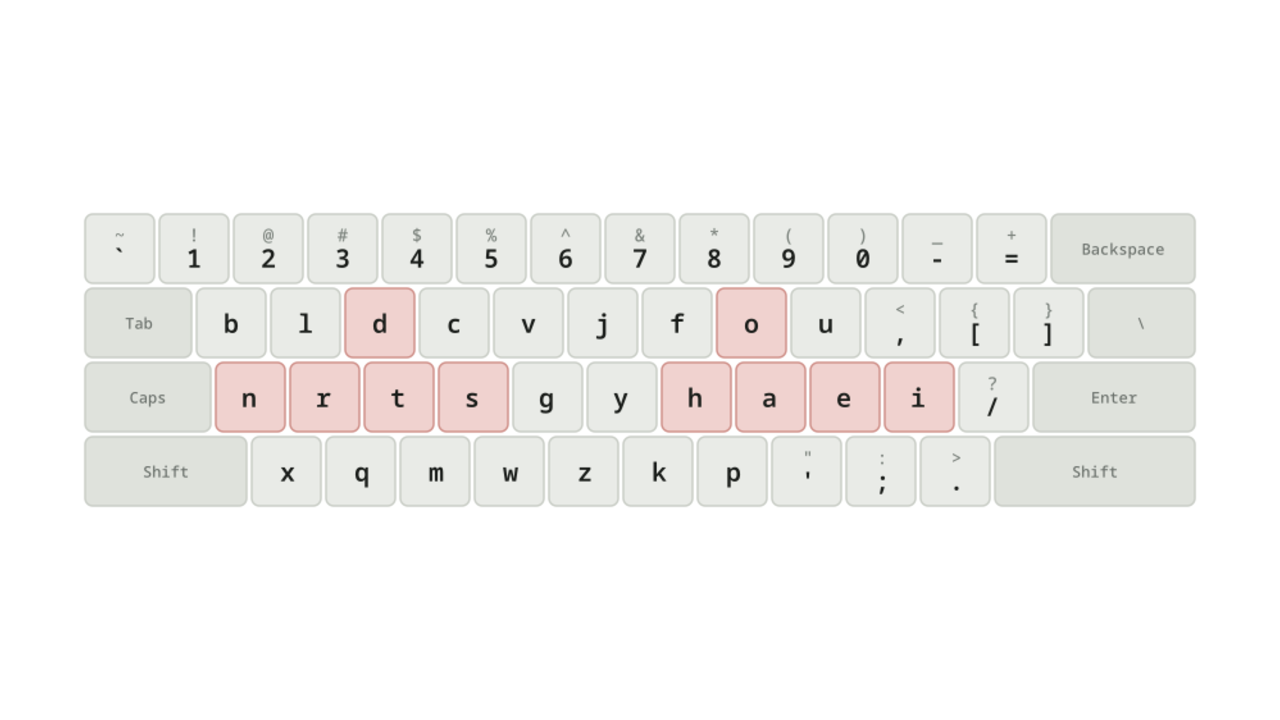
In the diagrams below, the keys in red are the ten most frequent letters in English. Here is QWERTY, for reference.

They are scattered across all three rows, and only four of them land on the home row.
Tip
As a result, if you’re using QWERTY (you most likely are), your resting position should be aser on the left hand and niop on the right.
Dvorak

I started my journey with Dvorak, the first one people mention when alternate layouts come up. Its main principle is alternation, achieved by putting the vowels on one hand (notice “aoeui” on the home row). Think of a word like “banana”, where the vowels are interleaved, and you can see how it promotes alternation. Coming from QWERTY, the fingers don’t leave the home row that often, and the Vim keys are easy enough to reach.
There are a few issues, both practical and theoretical. The theoretical one is that the left index finger rests on u, which isn’t even in the top 10 most frequent letters in English. Practically, there are two. Firstly, typing ls -l puts every key on the same pinky. Secondly, one-handed shortcuts such as ctrl c and ctrl v become two-handed, which makes copy and paste feel awkward.

Programmer’s Dvorak made two changes. Firstly, it puts the symbols on the number row, and the numbers on the shift layer. Secondly, it rearranges the digits. Neither solves the issues I had with Dvorak, and neither improved the experience much, if at all.
Note
You may wonder why the numbers are arranged in such a fashion. Feel free to keep wondering, just don’t ask me.
Between them, the two Dvorak variants never gave me enough to stay, so I went looking for something better.
Colemak

Note
Wow look, all ten of the most frequent letters on the home row.
Colemak stays close to QWERTY: almost every letter keeps the hand it was already on. Where Dvorak chases alternation, Colemak chases rolls: runs of letters that fall under neighbouring fingers on the same hand. “like”, for instance, is typed entirely with the right hand.
Staying close to QWERTY also keeps shortcuts easy, because one-handed ones stay one-handed. The single letter that switches hands is e, so win e to open file explorer becomes two-handed. Not as bad as ctrl c and ctrl v, in my opinion.
Optimised layout vs Vim
The common complaint is that on Colemak, hjkl all land on the index finger, in awkward spots. That’s inevitable: j and k are rare in English, so any optimised layout puts them in hard-to-reach places. It has never bothered me, because I barely use them. Take that as a sign to improve your Vim game.

Colemak DH is a variant of Colemak that moves a handful of keys. Its main insight is that the easiest keys to reach aren’t quite the home row, but the home row with a couple of keys pulled down into the bottom row. The theory is that curling a finger inwards is more comfortable than stretching it sideways, which shows up in words like “the”.

Finally, Colemak DH Wide separates the hands further, by pushing the whole right-hand side one column outwards, and filling the gap in the middle with symbols. [ and ] end up under an index finger instead of a pinky, which is what makes typing arr[i] so much better (imo). My hands also sit further apart, which is a good feeling.
Note
If you’re going down this road, look up the Sym mod too. It moves the symbol keys around so the apostrophe and hyphen stop living on your pinky. DreymaR’s Big Bag has all of them.
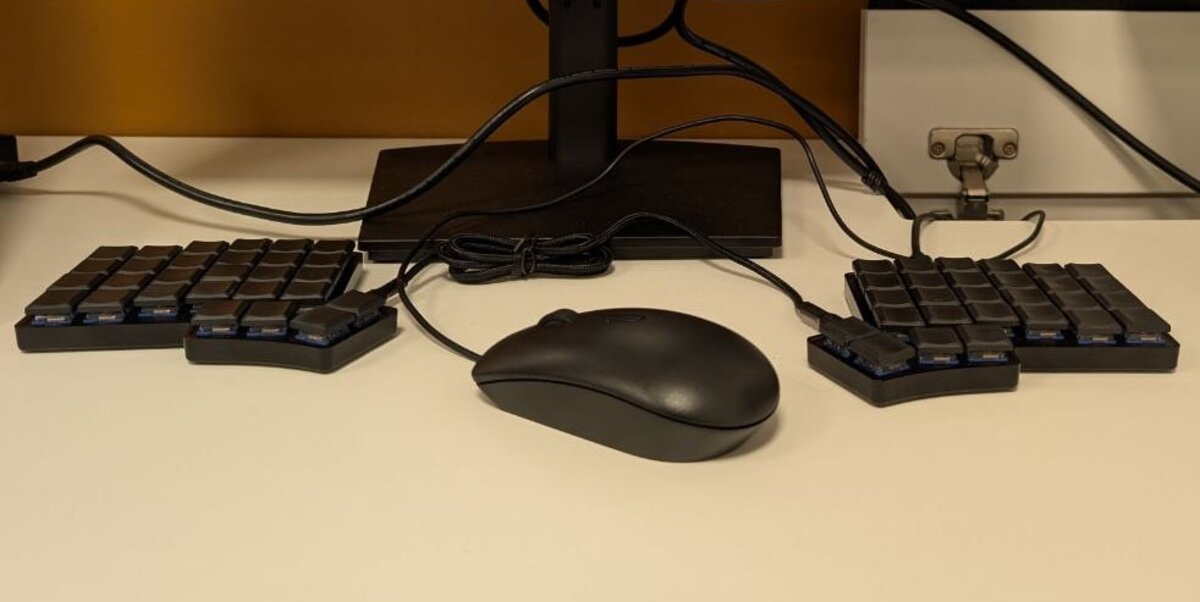
The Colemak variants are a good place to stop: Colemak DH on an ortho split, Colemak DH Wide on a staggered board. But Colemak was designed in 2003, and I wanted to see what two decades had added.
Gallium

There was a surge of new keyboard layouts during the COVID period (I guess they had nothing better to do at home). The common layouts that will be recommended at this time would be Graphite or Gallium. For no particular reason, I chose Gallium over Graphite.
Gallium goes back to alternation. The vowels sit together on the right hand, so you swap hands between vowels and consonants the way Dvorak intended, but with twenty years of metrics behind where each letter lands. Where it has to choose, it takes a lateral stretch over a scissor. A scissor is two adjacent fingers going opposite ways, one up to the top row while the other drops to the bottom. Try ni on QWERTY. A lateral stretch is two fingers pulling apart sideways, one of them reaching out of its column. Try hk on QWERTY.
Overall I’m happy with Gallium. It isn’t perfect, every layout has its problem words, but it holds up daily and I have no reason to leave yet. We’ll see what happens in the future.