· 7 min read
Friendship ended with QWERTY
Also with Dvorak, Colemak, Colemak DH, and Colemak DH Wide.

History
Back in the olden days, when people used typewriters, they will jam if keys close together are pressed in quick succession. QWERTY is designed to place common bigrams apart from each other, to minimise typewriter jams.
In 2025 (and beyond), we don’t use typewriters anymore, can we find something better than QWERTY? Using modern day metrics, QWERTY performs poorly. Depending on the corpus used, different keyboard layouts may perform differently. One thing is common though, it is that QWERTY is always last.
Quantitative analysis of keyboard layouts
These two (especially the first link) are my favourites to view some statistics about the various alternate keyboard layouts.
To understand what each metric mean, I leave the explanation to the experts
Not the whole story
As much as these metrics are useful, they don’t tell the whole story.
- Optimised for English
- May not be optimal for other languages
- Doesn’t care about shortcut keys
- Copy and pasting (using
ctrl candctrl v) is more ergonomic being one-handed shortcut, so that the other hand can be on the mouse. However, on alt layouts,ctrl candctrl vmight become two handed shortcuts,
- Copy and pasting (using
Why would any sane person switch?
I can type over 100 wpm comfortably on QWERTY, so the thought of switching layouts never occured to me, until that one fateful day. One of my friends commented that if anyone were to experiment with an alternate layout, it would be me. Just like that, I fell into the rabbit hole.
At first, I was just learning for fun. I had no plans to give up QWERTY entirely. In fact, I made a personal pact: I’d only switch full-time if I ever met someone who actually used an alternate layout. That felt like a safe bet, until I met someone who uses Dvorak.
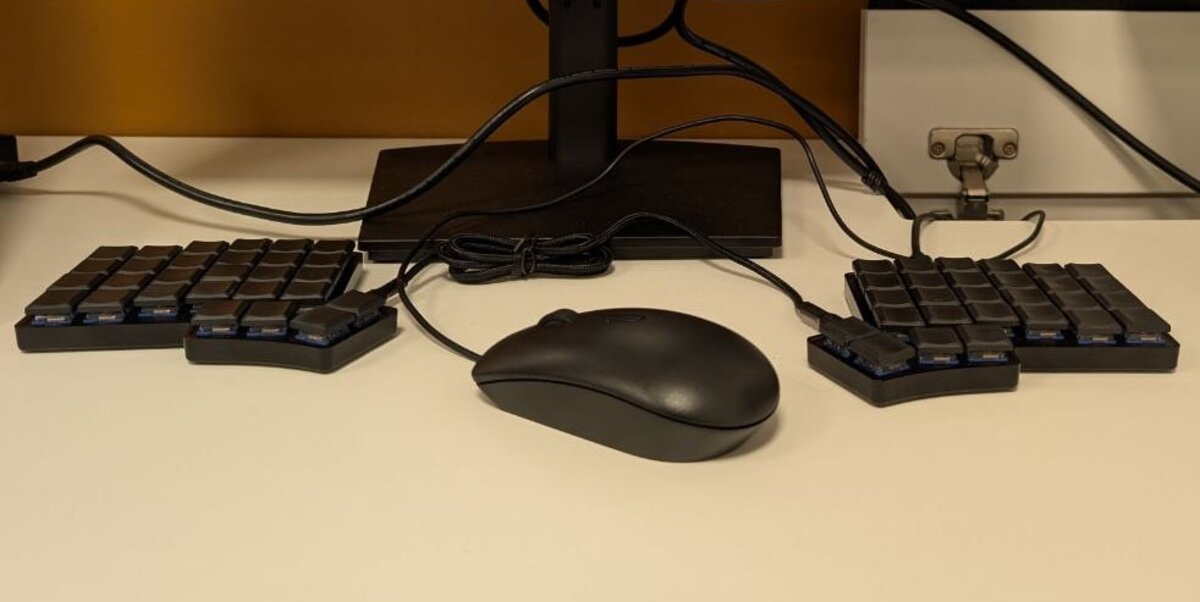
A split ortholinear keyboard was already on my wishlist. I don’t type on QWERTY the “correct” way, I use my left hand to type letter “y”, and my right hand for letter “b”. Using a split keyboard requires each key to be pressed by the correct hand (not necessarily the same finger). It was the perfect excuse to learn a new layout. Learning proper touch-typing doesn’t make much sense on QWERTY anyway, because the most frequent keys aren’t even on the home row.
Of course, there’s the most important reason of all: to prove I’m not a serial killer. It is a commonly known fact that all serial killers use QWERTY. I don’t use QWERTY, therefore I’m not a serial killer. Not that anyone asked, but it gives me a peace of mind.
What I’ve tried
After committing the decision to learn a keyboard layout, the next question would be, which layout? There are so many keyboard layouts out there to try. Here are the keyboard layouts I’ve experimented in chronological order:
- Dvorak (& Variants)
- Standard Dvorak
- Programmer’s Dvorak
- Colemak (& Variants)
- Standard Colemak
- Colemak DH
- Colemak CAW
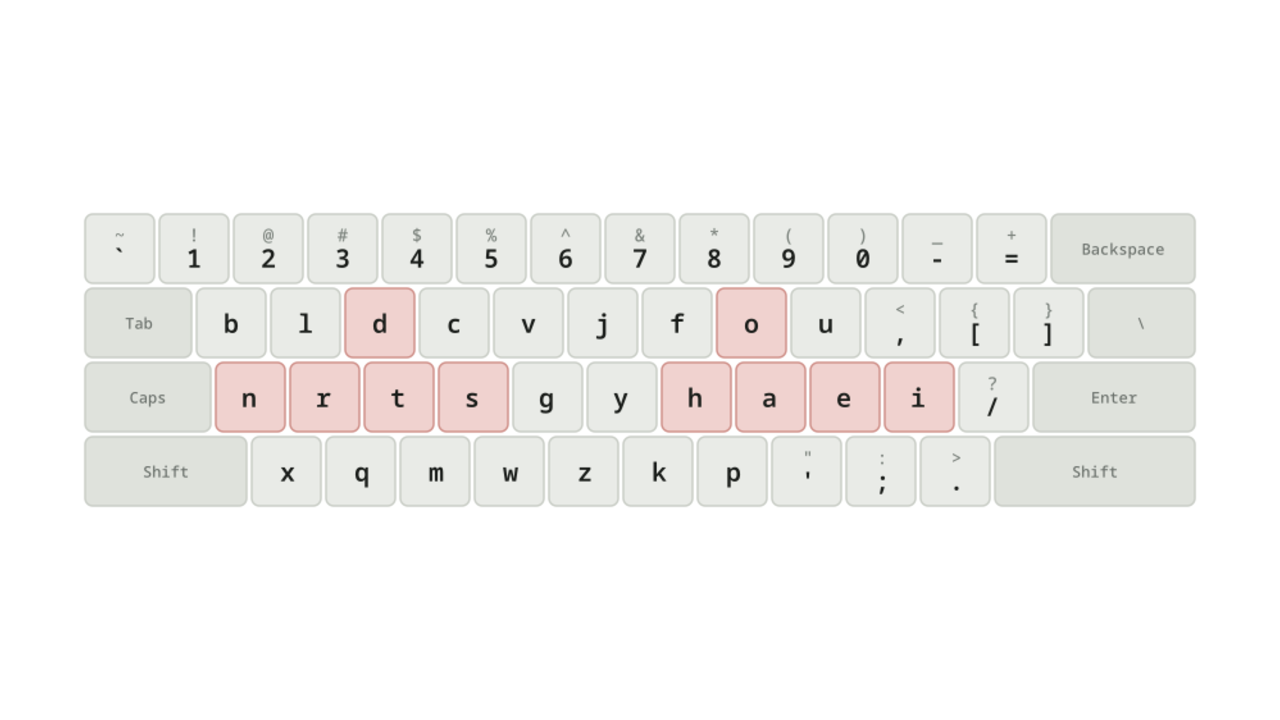
- Gallium (currently still struggling. Update, Aug 2026: fluent.)
Dvorak took me the longest to learn, probably because it’s the first time I’ve used anything outside QWERTY. I took around 3 months to get comfortable with Dvorak (40-50 wpm), and another 3-4 months getting up to 100 wpm. However, for the rest of the keyboard layouts, it only takes me 3-4 months to get from 0 to 100 wpm. If the switch is between variants of the same keyboard family, it is generally easier and takes even lesser time.
I have opinions on each of them, which I’ll share in a separate post.
Pain, to less pain, to none
This process feels terrible, no amount of words I write is sufficient to describe the pain. There’s broadly three phases when learning a keyboard layout: finding the keys, not having to look, and not having to think.
Phase 1: Finding the keys
This part starts as rote memorisation. Learn the keyboard row by row, one row at a time. Breaking it up gives your memory less to hold at once.
An alternative, which works better if you intend to learn multiple layouts, is to understand the thinking behind each one. Colemak, for instance, moves as few keys across hands as possible: a letter your left hand pressed on QWERTY is still a left-hand letter on Colemak. Once you know the methodologies, memorising a layout is mostly recognising which one it picked.
Phase 2: Not having to look
Once you memorise all the keys, it’s time to build some muscle memory. Usually you’d do this in a typing game such as https://typeracer.com or https://monkeytype.com (or https://typegg.io). The typing process is also going to be pain, but just keep repeating this cycle for the next 3-4 months and you’ll see your typing speed increase.
- Think of which key you want to press
- Remember where the keys are
- Press the key
- Repeat
Note
There’s the usual advice that you should not look down at your keyboard when typing, so that you can be fast. The funny thing in this case is that you have nothing to look at, because the keys are wrong in the first place. I also don’t recommend moving the keys around.
Phase 3: Not having to think
This part differs from people to people. Once you match your QWERTY typing speed (in said typing game), you can choose to stop and be happy that you’re as fast in this new alternate keyboard layout. Or, you can bring it out into the real world, where more pain awaits
In typing tests, the idea is to just copy the word that is shown on the screen. However, in day to day usage, the mind needs to think of the content, and also at the same time type out the words. Think about it this way, you used 100% of your focus to type 100 wpm. Now, you must dedicate close to 100% of the brain to do the thinking, and there’s close to 0% to focus on the typing.
Maintaining friendship with QWERTY
Occasionally, I’ll still have to use a QWERTY keyboard, such as practical exams using school computer (which is in QWERTY btw), or using other people’s computer. Inevitably, after learning an alternate layout, your QWERTY typing speed will decrease. However, it can easily be re-learned. As of now, I type around 80 wpm on QWERTY now which is good enough for me.
I do have a few tips that help me switch between QWERTY and an alternate layout. The most effective way is to use different physical keyboards for each layout. However, if you do not have the capability to have two different physical keyboards, like me, here are the other ideas that I adopt. Firstly, I have a different resting position on QWERTY. Due to the key frequencies, it makes sense to put the left hand on “aser”, and the right hand on “niop”. Secondly, I use my left thumb for space on the alt layout, and right thumb for space on QWERTY. Despite these efforts to separate the muscle memory, sometimes I still confuse the layouts. I might be typing in QWERTY and reach for a Colemak key.
Going back to QWERTY
As I end one phase of my life (my undergrad degree), I end my time with Colemak (and friends). I’m going back to QWERTY. Just kidding! Which sane person is goes back to QWERTY. Currently, I’m using Gallium, hopefully from now until the foreseeable future. (Update, Aug 2026: still Gallium, and fluent in it.)